
By John Gruber
WorkOS FGA: The
authorization layer
for AI agents
- App Store Reviews Are Busted ★
-
Terry Godier:
For example, if you have a 4.1 star rating in the App Store, any 4 star review is going to decrease that average. In other words, leaving a 4 star review is essentially leaving a negative review. [...]
You will see a lot of 4 star reviews that say things like, “This is my favorite app!” or “Gamechanger!” The apps that tend to have these types of reviews are often over a 4.0 in the store and are being actively harmed average-wise by having them, even though the intent was clearly not to do so.
Problem #1 is that star-rating systems absolutely suck for aggregation. If you’re going to collect and average ratings from users, the system that works best is binary: thumbs-up or thumbs-down. Netflix switched from stars to thumbs in 2017, and YouTube switched all the way back in 2009. The App Store should switch to thumbs.
The logical endpoint of apps optimizing for a 5 star review invalidates the system as meaningful on the store. The system becomes a better representation of the sophistication at review prompt execution than it does an accurate reflection of app product quality. The incentive isn’t to create an actual 5 star app, but rather to create a robust system that transmits only 5 star reviews.
Problem #2 is that even if the App Store switched from stars to thumbs, the system would still be gamified by developers, rewarding, as Godier aptly puts it, not the best apps but instead the apps that are best at “review prompt execution”. Apple should remove the APIs that allow apps to prompt for reviews, and forbid the practice of prompting for them. Nothing good, and much bad, comes from these prompts. Imagine being in a restaurant, and in the middle of your entree, the server comes to your table and hands you an iPad and asks you to rate the joint on Yelp. That’s what using most apps is like. And the apps that do the right thing — like Godier’s Current — and never solicit a review like a needy hustler are penalized.
Every time I see one of these prompts it’s like getting hit up by a panhandler — and some of the prompts come from Apple’s own apps. It’s all so greasy. One of the advantages of a walled garden ought to be keeping panhandlers and solicitors out.
- Freecash Was More Like Scamcash ★
-
Sarah Perez, writing for TechCrunch:
If you’ve been on TikTok this year, you’ve more than likely encountered ads for Freecash. The app has been marketed as a way to make money just by scrolling TikTok — and jumped to the top of the app stores in recent months, peaking at the No. 2 position in the U.S. App Store.
In truth, Freecash pays users to play mobile games — all the while collecting a heaping amount of sensitive data, according to cybersecurity company Malwarebytes. [...]
On Monday, after being contacted by TechCrunch for comment, Apple pulled Freecash from its App Store. As of Monday afternoon, the app was still listed in the Google Play store. (It has since been removed).
As I have repeatedly written, it boggles my mind why Apple doesn’t have an App Store “bunco squad” that targets scam and fraud apps that are popular and/or high-grossing. It’s folly to think that the App Store could ever be completely free of scam apps. But it’s absurd that this app Freecash rose to #2 in the App Store, with millions of downloads, and Apple only took a look at and removed it after TechCrunch asked about the app.
Pieter Arntz, writing at Malwarebytes:
The landing pages featured TikTok and Freecash logos and invited users to “get paid to scroll” and “cash out instantly,” implying a simple exchange of time for money. Those claims were misleading enough that TikTok said the ads violated its rules on financial misrepresentation and removed some of them.
Once you install the app, the promised TikTok paycheck vanishes. Instead, Freecash routes you to a rotating roster of mobile games — titles like Monopoly Go and Disney Solitaire — and offers cash rewards for completing time‑limited in‑game challenges. Payouts range from a single cent for a few minutes of daily play up to triple‑digit amounts if you reach high levels within a fixed period.
The whole setup is designed not to reward scrolling, as it claims, but to funnel you into games where you are likely to spend money or watch paid advertisements.
Dystopian. And it’s gross that the follow-the-money chain here ultimately leads to pay-to-win games from established brands like Hasbro (Monopoly Go) and, of all companies, Disney (Disney Solitaire). Look at these games’ App Store listings, and you’ll see: (a) their in-app purchases are clearly meant to capitalized on addicts, and (b) their privacy report cards are appalling. And Apple is taking 30 percent of all this. Honest to god, how would it be any worse if Apple started selling cigarettes in its retail stores? Because there’d be butts to clean up outside the glass doors?
- Colliding With Reality, Indeed ★
-
Anton Troianovski, reporting for The New York Times under the headline “Trump’s Portrayal of the War in Iran Collides With Reality”:
President Trump is trying to cast his Iran war as all but over, a done-and-dusted success.
But after years of trying to impose his own reality on the world, he has now run into a crisis that is not bending to his narrative.
On the one hand, I’m loath to complain about the Times finally stating the obvious and treating Trump like they would any other official. Same goes for a Peter-Baker-bylined piece this week, “Trump’s Erratic Behavior and Extreme Comments Revive Mental Health Debate”. Finally. It was good that the Times’s reporting on Biden’s mental acuity two years ago was sharp enough to draw the ire of the Biden administration. But Biden never once said anything crazy. Forgetful? Slightly confused? Sure. But Trump is saying and tweeting crazy-ass stuff every day now. A steady stream of abject unhinged nuttiness. For chrissake he badgered kindergarteners at the White House Easter egg roll about Biden’s use of an autopen.
But on the other hand, when exactly has Trump “run into a crisis” that did “bend to his narrative”? He’s a bullshitter, and so good at bullshitting that his bullshit often flies. That’s very different from reality bending to meet the bullshit.
The difference with Iran is that war is about as close as anything gets to being bullshit-proof. Trump created a crisis that can’t be bullshitted.
(Also, take it easy on the Oompa-Loompa makeup, sir.)
- How to Format 10-Digit Phone Numbers ★
-
The Associated Press Stylebook, on Threads:
We updated our style for telephone numbers in 2024 to drop parentheses. We now recommend the form: 212-621-1500.
For international numbers use 011 (from the United States), the country code, the city code and the telephone number: 011-44-20-7535-1515.
Use hyphens, not periods. No parentheses. The form for toll-free numbers: 800-111-1000. If extension numbers are needed, use a comma to separate the main number from the extension: 212-621-1500, Ext. 2.
I have long been annoyed that U.S. phone numbers are so often formatted in the outdated (123) 555-1234 format. The use of parentheses for the area code dates back to the old days, when you only needed to dial the area code to call a number outside your own area code. (The same era whence comes the verb dial.) Until 10-digit dialing with mandatory area codes started to become standard in the late 1990s, you only needed to dial seven digits to call a local number.
Apple’s Contacts app (and I think the system-wide Contacts framework, used by third-party apps like Flexibits’s excellent Cardhop), will go so far as to reformat numbers entered in 123-555-1234 format as (123) 555-1234. Apple should update the formatting to go the other way, and turn phone numbers with the area code in parentheses into the 123-555-1234 format. It’s only because area codes used to be optional that they were put in parentheses. Given that 7-digit dialing is never going to return, we should abolish the parentheses too.
- Chance Miller: ‘Netflix Ruined Its Apple TV App by Switching to a Custom Video Player’ ★
-
Chance Miller, 9to5Mac:
The change began rolling out a few weeks ago, and user frustration is mounting. On Reddit, there’s a growing thread of Netflix subscribers saying they are canceling their subscription because of this change to the Apple TV app. [...]
The change also means you lose access to full payback controls using the Apple TV Remote app on your iPhone. You can’t enable Enhance Dialogue from the video player. That clever Apple TV feature that automatically enables subtitles when you rewind? Gone.
One of my most-used tvOS video player features is the ability to tap the Siri Remote to see when what I’m currently watching will end. It’s great for trying to decide whether you have time for one more episode before bed. That feature is gone in Netflix as part of this change.
FlatpanelsHD has a great roundup of all the features on Apple TV that rely on an app using the native video player.
Someone tried to argue with me when I complained about this horrendous regression that Netflix users somehow want consistency across different platforms — that users want the same Netflix player on Apple TV as on Roku, Amazon Fire, Google TV, and whatever crap is built into their “smart” TV. Nonsense. Why would users of one platform care what the Netflix player is like on other platforms? Apple TV users buy Apple TV boxes because they want the Apple TV experience. Maybe Netflix wants to present the same experience everywhere. Maybe Netflix wants to save on engineering costs by having a write-once-run-like-shit-everywhere video player. That’s a Netflix concern, not a user concern.
From the perspective of users, this change to the tvOS Netflix app just sucks. There’s no upside at all. Nothing is better, much is worse, and a slew of cool platform features are now gone.
- Apple Pay Express Transit Mode, When Used With a Visa Card, Is Vulnerable to Scam Tap-to-Pay Readers ★
-
Juli Clover, MacRumors:
The process requires the victim to have Express Transit Mode enabled for payments, and a Visa card linked for those payments, among other steps. As it turns out, it’s a Visa-related security loophole rather than an iPhone issue, and it doesn’t work with a Mastercard or an American Express card because other cards use different security methods. It also doesn’t work with Samsung Pay on Samsung devices, and it requires the specific combination of a Visa card and an iPhone. Apple told Veritasium that it’s an issue with the Visa system, but something unlikely to occur in the real world.
The video, hosted by the Veritasium YouTube channel, but starring Marques Brownlee as the victim, takes over 15 minutes before clarifying that the exploit only works with Visa cards, and only when a Visa card is set as your card for Express Transit Mode. Until then, the video implies that the exploit can work against any iPhone that has Apple Pay configured, with any sort of credit card. The technical explanation of how the hack works is pretty good though.
As I wrote a year ago (when Apple was looking for a new partner to replace Goldman Sachs as the bank for Apple Card), Visa is the most popular credit and debit card in the U.S., by a significant margin. If you don’t use Express Transit Mode, you’re safe. If you do use Express Transit Mode, I suggest any card other than a Visa.
- Bonus Thought Regarding the Name ‘iPhone Ultra’ ★
-
One more thought re: the item I posted this week speculating on what Apple will name their much-rumored two-screen folding iPhone this year. If they do name it “iPhone Ultra”, I think Apple using that name for the folding iPhone will imply that they have no plans whatsoever to ever make a “rugged” iPhone — a model akin to Apple Watch Ultra.
I suspect Apple has no plans for a dedicated rugged iPhone. People who want that just buy extra-thick cases for regular iPhones. A watch is different. I know some people put their Apple Watches in ungainly protective “cases”, but they look hideous, which is why you see so few people using them. For aesthetically pleasing ruggedness, the watch case itself needs to be designed for it. But maybe there is a large enough potential market for such an iPhone — especially if such a device had significantly longer battery life than any regular iPhone, as an Apple Watch Ultra does relative to a regular Apple Watch.
But if Apple calls the folding iPhone “Ultra”, stop holding your breath for such an Apple-Watch-Ultra-style iPhone. In the same way that “Air” means very different things on Mac, iPad, and iPhone, so too might “Ultra”.
- Rory Goss’s Accessibility Story ★
-
Feature story and short film, well worth watching, from Apple:
One winter day in January 2024, 16‑year‑old Rory Goss experienced something jarring while in construction class at Abbey Christian Brothers’ Grammar School in Newry, Northern Ireland. He could no longer see the whiteboard at the front of the room.
As a straight‑A student in 11th grade, Rory was in the midst of studying for his A‑levels and was about to start applying to university. Passionate about golf and cars, and eager to start driving lessons, he had no idea what was happening to his eyesight.
Within weeks, he was diagnosed with Leber’s Hereditary Optic Neuropathy, a rare genetic condition that damages the optic nerve and can lead to sudden, severe vision loss. Over the next six months, his vision deteriorated by 95%, meaning he was legally blind as he began his 12th grade exams.
Apple just posted this feature this week, but it’s serendipitously aligned with my recent (and not-so-recent) posts about the screen zooming features in MacOS and iOS. Goss zooms in and out with extraordinary dexterity and fleetness. It’s quite extraordinary. Particularly moving for me is his illustration — created on an iPad, using Apple Pencil — where he attempts to illustrate what his vision now looks like.

Wednesday, 15 April 2026
- So Close to Getting It ★
-
David Pierce, last week in his Installer column/newsletter for The Verge, singing the praises of the version 5.0 update to Sofa (the praises of which I just sang):
Sofa 5. A huge update to an Installerverse favorite, this app is now a great way to manage everything you want to watch, read, play, and even do IRL. I never quite made it stick when it was mostly just movies and shows, but now I think of it as like a Notion for my personal life. Apple devices only, alas, but boy do I love this app.
Pierce, I just noted today, also just wrote a feature story at The Verge about his decision to buy a new iPhone — after trying an array of new Android phones and admitting to a (questionable, IMO) personal preference for Android over iOS — because there are so many better apps on iOS that don’t have equivalent-quality counterparts on Android. In that earlier piece, Pierce wrote:
Lots of the apps I use every day — apps like Puzzmo, NotePlan, Mimestream, and Unread — either don’t exist on Android at all or only exist as web apps. Most of the ones that do work on both platforms are better on iOS. And forget about the kind of handcrafted, small-developer stuff — apps like Acme Weather, Current, and Quiche, just to name a few recent favorites — that’s all over the App Store and absolutely nowhere to be found on Android.
These apps don’t just happen to be both exquisitely crafted and exclusive to iOS (and in some cases, MacOS). They’re exquisitely crafted because they are idiomatic native apps designed to adhere to Apple’s platforms. Not all native apps are great, of course, but most great apps are native — and most great native apps are native to iOS or MacOS.
So there ought be no “alas” to describe Sofa being exclusive to Apple devices, but instead a “thank you” to developer Shawn Hickman for keeping it exclusive, and thus keeping it great.
- Sofa 5.0 ★
-
Shawn Hickman:
A show you started last month. A book on your nightstand. A game you keep meaning to get back to. Finding something new is easy. Remembering where you left off is the hard part.
Sofa 5 helps you keep track of this stuff. Progress rings show up on covers throughout the app so you can see where you stand at a glance. Your home screen shows what’s next with one-tap checkboxes to keep things moving.
Five ways to track, depending on what fits: just enjoy with zero setup, tap to log, count pages, check off episodes, or keep a journal as you go. Pick one and switch anytime.
It’s a well-established cliché that no one ever finds the perfect to-do app or “task management system” unless they create it themselves. That’s certainly true for me (and resulted in my co-creating Vesper). Keeping track of things you want or need to do is too close to codifying how you think and remember things in your own mind, and we all think and remember in unique ways. We thus crave unique apps or systems to manage our tasks, ones that fit our minds just right. That’s why there are a zillion to-do apps, including a bunch that are actually good. And, these days, that’s why there are so many people creating their own personal to-do apps using AI coding systems.
Because media-tracking apps are just a subset of to-do apps, all the same things hold true for them. So, just like how I occasionally flit back and forth between general-purpose to-do apps, or become enamored with a new one, I’ve switched between several media-tracking apps over the years. These are apps where you keep lists of movies and shows you want to watch, books you want to read, and then log them, perhaps with notes or ratings, as you watch them.
It’s an endlessly fascinating app genre. Sofa is a really good example, one that I’ve used on and off for years. (Disclaimer: I started using Sofa when it was the weekly sponsor on DF back in 2022, but I’ve kept using it since then because it’s so good.) I’ve been using Sofa v5 for months now, including while it was in beta, and it is a big improvement to an already very good, very thoughtful app. A lot of people use general-purpose to-do apps to track movies and shows to watch, books to read, and games to play. Sofa 5 goes the other way, and expands what started as a dedicated media tracker into something you can use to track, well, anything you want to do.
Sofa is quite useful for free, and super useful with a paid subscription. If you’re even vaguely unsatisfied with your current app or system for tracking media to watch / read / play, you should check it out.
- Lisa Melton: ‘Memories of Steve’ (and Memories of Safari’s Unique Page-Loading Indicator in Particular) ★
-
Lisa Melton, who ran the team that created Safari, regarding her interactions with Steve Jobs:
When Steve asked you a question? You didn’t ramble and, whatever you did, you didn’t make up an answer. If you didn’t know, you just said that you didn’t know. But then you told him when you’d have an answer. Again, this was just good advice to anyone “managing up,” as they say.
This is A+ advice for dealing with anyone, period. If you don’t know, say “I don’t know.” So many people have a deep aversion to saying that. And if you can say “I don’t know, but I’ll find out in «some short amount of time here»”, say that.
Here’s the bit that’s relevant this week:
Steve didn’t like the status bar and didn’t see the need for it. “Who looks at URLs when you hover your mouse over a link?” He thought it was just too geeky.
Fortunately, Scott and I convinced Steve to keep the status bar as an option, not visible by default. But that meant we had a new problem. Where should we put the progress bar to indicate how much of the page was left to load?
Before, the progress bar lived inside the status bar. So we needed to find it a new home. We discussed all sorts of silly ideas including making it vertical along the edge of the window.
Remember, this was back in the day before the spinning gear or other smaller affordances were widely used to indicate progress. In the age of barber-pole blue Aqua, it had to be a bar.
The room got quiet. Steve and I sat side-by-side in front of the demo machine staring at Safari. Suddenly we turned to each other and said at the same time, “In the page address field!”
Smiles all around. Which I followed with, “I’ll have a working version of that for you by the end of the week.” Over-committing my engineering team, of course.
But I didn’t care. I had just invented something with the Big Guy. True, it was a trifle, but there’s no feeling like sharing even a tiny byline with Steve.
This of course, is contra John Calhoun’s offhand recollection (in a Hacker News thread last month) that Steve Lemay “also invented the early Safari URL text field that also doubled as a progress bar”. Melton is a direct source, so there’s no reason to doubt her recollection of having conceived of the idea alongside Steve Jobs. These recollections are not, of course, mutually exclusive — perhaps Lemay was a designer assigned to flesh out the idea, and Calhoun remembers him as a proponent of the idea.
Anyway, this whole essay from Melton just goes down like butter. So good.
David Pierce Tried a Bunch of Android Phones and Then Bought an iPhone Again
Wednesday, 15 April 2026
David Pierce, writing at The Verge (gift link):
The Pixel 10 Pro solidified a feeling I’d been having through all of my tests: Android is a better operating system than iOS. [...]
If all you got from your phone was the out-of-the-box experience, I’d have picked the Pixel. But unfortunately for Android, app stores exist. And the App Store absolutely wipes the floor with the Play Store. Lots of the apps I use every day — apps like Puzzmo, NotePlan, Mimestream, and Unread — either don’t exist on Android at all or only exist as web apps. Most of the ones that do work on both platforms are better on iOS. And forget about the kind of handcrafted, small-developer stuff — apps like Acme Weather, Current, and Quiche, just to name a few recent favorites — that’s all over the App Store and absolutely nowhere to be found on Android.
Put aside your feelings on whether you agree “Android is a better operating system than iOS”. What’s interesting here is that Pierce, who thinks that’s true, still prefers the overall experience of iOS because the apps are so much better. I first wrote about this in 2010, in “Where Are the Android Killer Apps?”:
But, the thing I’ve noticed, eight months after returning a Nexus One I borrowed for six weeks from a friend, is that, well, I don’t seem to be missing much.
I’ve complained, numerous times, about the “how many total apps are in your store?” metric — the idea that Apple is “winning” because there are more iOS apps than there are apps for any other mobile platform. If quantity of app titles were all that mattered, we’d all be using Windows, not Mac OS X, right? Having the most apps matters, but having the best apps matters too. The sweet spot for a platform is to do well in both regards.
And then, more recently, in 2023, “Making Our Hearts Sing”:
I will offer another quote from Kubrick: “The test of a work of art is, in the end, our affection for it, not our ability to explain why it is good.”
Art is the operative word. Either you know that software can be art, and often should be, or you think what I’m talking about here is akin to astrology. One thing I learned long ago is that people who prioritize design, UI, and UX in the software they prefer can empathize with and understand the choices made by people who prioritize other factors (e.g. raw feature count, or the ability to tinker with their software at the system level, or software being free-of-charge). But it doesn’t work the other way: most people who prioritize other things can’t fathom why anyone cares deeply about design/UI/UX because they don’t perceive it. Thus they chalk up iOS and native Mac-app enthusiasm to being hypnotized by marketing, Pied Piper style.
What’s happened over the last decade or so, I think, is that rather than the two platforms reaching any sort of equilibrium, the cultural differences have instead grown because both users and developers have self-sorted. Those who see and appreciate the artistic value in software and interface design have overwhelmingly wound up on iOS; those who don’t have wound up on Android.
Apple would be wise to cultivate a further widening of this third-party software-quality gulf through radically improved developer relations, rather than attempting to squeeze additional rent from this advantage — which, while penny-wise in terms of juicing its App Store revenue in the near term, is ultimately pound-foolish in the way that it is souring developer sentiment.
The real goldmine isn’t that Apple gets a cut of every App Store transaction. It’s that Apple’s platforms have the best apps, and users who are drawn to the best apps are thus drawn to the iPhone, Mac, and iPad. That edge is waning. Not because software on other platforms is getting better, but because third-party software on iPhone, Mac, and iPad is regressing to the mean, to some extent, because fewer developers feel motivated — artistically, financially, or both — to create well-crafted idiomatic native apps exclusively for Apple’s platforms.
Apple should focus its developer relations on cultivating that motivation, and trust that in the end that will continue to prove lucrative for Apple itself. They should do whatever it takes to make their cut of App Store transactions feel like a beneficial bargain to developers, not an oppressive tax. ★
Wednesday, 15 April 2026
- Screen Zooming on iOS and iPadOS ★
-
Steven Troughton-Smith:
If you want to pixel-peep on iOS or iPadOS, it also has the Zoom accessibility setting, and can be controlled via touch, keyboard, or trackpad. It works for display mirroring too, and has other options like a minimap and HUD (‘Zoom Controller’).
These settings are in Settings → Accessibility → Zoom. I prefer switching the Zoom Region from the default Window Zoom (which gives you large magnifier glass window to drag around the screen) to Full Screen Zoom, which is more like how zooming works on the Mac.
On iPadOS, you should go into the Keyboard Shortcuts panel (inside Accessibility → Zoom) and turn on Zoom with Scroll Wheel. This lets you zoom Mac-style, using the Control key, when you have a keyboard and trackpad/mouse connected.
(You can, of course, zoom on VisionOS too.)
Tuesday, 14 April 2026
- Fraudulent Cryptocurrency App in Mac App Store Stole $9.5 Million From 50-Some Users ★
-
Molly White, at Web3 Is Going Just Great:
After a fake version of the Ledger cryptocurrency wallet app made it onto the normally highly curated Apple App store, customers lost $9.5 million dollars to the malicious product. Believing it was a genuine Ledger product, people entered their seed phrases into the app, then discovered their wallets were immediately drained.
One victim, a musician who goes by G. Love, wrote: “I lost my retirement fund in a hack/Scam when I switched my Ledger over to my new computer and by accident downloaded a malicious ledger app from the Apple store. All my BTC gone in an instant.” According to him, he lost 5.9 BTC (~$445,000).
The legit (if that adjective can be used for cryptocurrency apps) Ledger Live Mac app is only available as a direct download from Ledger’s website. They also do have an app in the App Store, but it’s iPhone-only.
- On the Name of Apple’s Foldable iPhone ★
-
Tim Hardwick, last week at MacRumors:
Apple’s first foldable iPhone may not carry the speculative media-derived “Fold” branding after all, according to Chinese leaker Digital Chat Station. In a new post on Weibo, the oft-accurate leaker claimed that Apple’s book-style foldable could launch as the “iPhone Ultra.” Meanwhile, domestic Chinese manufacturers are allegedly deciding whether to follow Apple’s lead by tentatively branding their own upcoming foldables as “Ultra” models, but likely with a lighter price tag — Apple’s version is expected to cost between $2,000 and $2,500.
I have no inside knowledge about what Apple plans to name this device, but I’ll eat my proverbial hat if they name it “iPhone Fold”. That name is so dumb it’s what Samsung calls their foldables. You don’t name a device for what it does, you name it for what it connotes. A good name conveys feeling, not just function. “iPhone Ultra” or “iPhone Max” would both work, and Ultra sounds more luxe. So while unsurprising, that’s probably the best bet, even without the reliable word of Mr. Digital Chat Station.
But if you want my take on a wildcard name, one with some history, how about “iPhone Duo”?
- Speaking of Tips ★
-
The Houston Chronicle:
Kristin Tips, the longtime presiding officer of the embattled Texas Funeral Service Commission, is no longer on the board. “Governor Abbott appreciates Kristin Tips’ service,” Andrew Mahaleris, Abbott’s press secretary, said in an email Tuesday. “An announcement on a replacement will be made at a later date.” [...]
Tips, who has run San Antonio’s prestigious Mission Park Funeral Chapels, Cemeteries & Crematories with her husband, Dick Tips, was appointed to the board by the governor in 2017 and made the presiding officer in May 2024. Tips did not respond to a request for comment.
I don’t have any questions for her, but I have at least one for her husband.
- Apple Has Hidden the Pre-Creator-Studio Versions of Keynote, Numbers, and Pages in the Mac App Store ★
-
Ryan Christoffel, 9to5Mac:
On the iPhone and iPad, Apple made the new Creator Studio features available as updates to the existing App Store releases.
On the Mac though, the rollout was a lot more confusing. Apple kept the old iWork apps for Mac available on the App Store and launched entirely separate iWork versions with the Creator Studio features. Starting today, though, that oddity is no more. Per Aaron Perris, Apple has officially removed the old Pages, Keynote, and Numbers apps from the App Store.
If you’ve previously downloaded these apps, you’ll still find them in your download history and can re-download from there. But new users will only see one option on the App Store: the Creator Studio-compatible apps.
One reason — perhaps the reason? — this was necessarily more complex on MacOS is that the iWork apps used to have different bundle identifiers on iOS and Mac. On the Mac, the old (classic?) version of Keynote has the bundle identifier
com.apple.iWork.Keynote. On iOS, it was always justcom.apple.Keynote, without theiWorkpart. To make the single-subscription bundle work across both platforms, Apple seemingly needed to unify the bundle IDs, and they unified them using the iOS versions, sans theiWorkpart. The new Creator Studio versions of the Mac apps now have the same bundle IDs as the iOS versions. You can see this using Terminal, if, like me, you currently have both versions of these apps installed side-by-side:% mdls -name kMDItemCFBundleIdentifier -r \ /Applications/Numbers.appResult:
com.apple.iWork.Numbers% mdls -name kMDItemCFBundleIdentifier -r \ /Applications/Numbers\ Creator\ Studio.appResult:
com.apple.NumbersYou can also see from the above that while the display names for the new versions remain just “Keynote”, “Numbers”, and “Pages”, the actual names of the .app bundles in the file system are now “Keynote Creator Studio.app”, “Numbers Creator Studio.app”, and “Pages Creator Studio.app”. That’s how two apps that both appear to have the same name can exist next to each other in the same Applications folder.
I’ll leave the final word to Basic Apple Guy:
Goodbye Keynote, Numbers, and Pages, and long live Keynote: Design Presentations, Numbers: Make Spreadsheets, and Pages: Create Documents
- Google Will Finally Begin Punishing Sites for Back-Button Hijacking in June ★
-
Google, on their Search Central Blog:
Today, we are expanding our spam policies to address a deceptive practice known as “back button hijacking”, which will become an explicit violation of the “malicious practices” of spam policies, leading to potential spam actions.
What is back button hijacking?
When a user clicks the “back” button in the browser, they have a clear expectation: they want to return to the previous page. Back button hijacking breaks this fundamental expectation. It occurs when a site interferes with a user’s browser navigation and prevents them from using their back button to immediately get back to the page they came from. Instead, users might be sent to pages they never visited before, be presented with unsolicited recommendations or ads, or are otherwise just prevented from normally browsing the web.Why are we taking action?
We believe that the user experience comes first. Back button hijacking interferes with the browser’s functionality, breaks the expected user journey, and results in user frustration.Good for Google to penalize sites playing such dirty tricks, but, if they believe the user experience comes first, why are they only addressing this now in 2026? Here’s a Reddit thread from 15 years ago: “Why the fuck do websites hijack the back button? Its fucking annoying”. And why are they waiting until June to enforce it? Penalize these dickheads now.
I don’t see much back-button hijacking personally, perhaps because I don’t visit sketchy websites, but this entire issue only exists because of JavaScript. If web pages were documents, this wouldn’t even be possible.
- Amazon to Acquire Globalstar, Announces Agreement With Apple to Continue Service for iPhone and Apple Watch ★
-
Amazon:
Today Amazon.com, Inc. and Globalstar, Inc. announced that they have entered into a definitive merger agreement under which Amazon will acquire Globalstar, enabling Amazon Leo to add direct-to-device (D2D) services to its low Earth orbit satellite network and extend cellular coverage to customers beyond the reach of terrestrial networks. In addition, Amazon and Apple announced an agreement for Amazon Leo to power satellite services for iPhone and Apple Watch, including Emergency SOS via satellite. [...]
Greg Joswiak, quoted in Amazon’s press release:
“Apple and Amazon have a long and proven track record of working together through Amazon’s core infrastructure services, and we look forward to building on that collaboration with Amazon Leo. This ensures our users will continue to have access to the vital satellite features they have come to rely on, including Emergency SOS, Messages, Find My, and Roadside Assistance via satellite, so they can stay safe and connected while off the grid.”
The Verge’s headline catches my initial reaction: “Apple and Amazon Are Teaming Up to Challenge Starlink’s Smartphone Ambitions”. Apple owned a 20 percent stake in Globalstar, so they were more than a bystander. But I think the deal speaks to the fact that amongst the tech titans, Apple and Amazon are more allies than rivals.
- John Calhoun on Steve Lemay ★
-
Speaking of John Calhoun, he chimed in on a Hacker News thread last month regarding his experience working with Steve Lemay at Apple:
I think Steve Lemay is a good guy. I kind of fought with him when I was an engineer, he was a young, new designer (at Apple). But I always respected his point of view — even when we argued.
When Jobs came back to Apple in the latter 1990’s “Design” slowly came to have an outsized role. I was one half of the engineering team that owned Preview (the application) when Steve Lemay became a seemingly regular presence in the hallway. As the new “Aqua” UI elements arrived in the OS like the “drawer” and toolbar, Steve and his boss (forgetting his name right now — Greg Somebody?) were often making calls about our UI implementation.
I guarantee that was Greg Christie, who is in my opinion the least-known-but-most-missed person at Apple.
Steve Lemay insisted the drawer live on the right side of the window. This was inexplicable to me. I saw the layout of Preview as hierarchical: the left side of the content driving the right side. You click a thumbnail on the left (in the drawer) the window content on the right changes to reflect the thumbnail clicked on.
Steve said, no, drawer on the right.
“Why? Why the hell would we do that?”
Steve was quick: “The Preview app is about the content. The content is king.”
I admit that I still disagreed with him after the exchange, but I had a new respect for him as a designer because he was able to articulate a rationale for his decision. I suppose I was prejudiced to expect hand-waving from designers.
It’s a good sign when you lose an argument but gain respect for those arguing the opposing side. (And, Calhoun notes, the Preview sidebar eventually did move to the left, after split views replaced drawers in AppKit.)
(Addendum: Steve also invented the early Safari URL text field that also doubled as a progress bar. Instant hate from me when I saw it: it was as if the text of the URL you entered was being selected as the page loaded. So I’m old-school and Steve had some new ideas…)
I had the same reaction as Calhoun when I first wrote about Safari, two days after it was announced and released as a public beta at Macworld Expo in January 2003. (That was a year before I created Markdown, so I had to edit raw HTML just now to update a few broken links to working versions at the Internet Archive.) I wrote then:
Progress Bar Behind Location Field
Hideous. It looks like partially-selected text. Please scrap it.But by 2009, reviewing the public beta of Safari 4, I had changed my mind, and admitted I was wrong in my initial assessment of the progress-bar-in-location-field combo control:
But I quickly grew accustomed to it, and soon grew to miss it when using other browsers. It was, I soon decided, a damn clever way to show progress in a way that was prominent while the page was actually loading, and without taking up any additional space on the screen after loading was complete.
That innovation is a nice feather in Lemay’s cap.
- Richard Moss’s 2010 Interview With John Calhoun on the Origins of Glider ★
-
Richard Moss, back in 2010:
John Calhoun’s Glider games hold a special place in the history of Mac gaming, acting almost as an icon of the platform through much of the 1990s. They spawned a hugely dedicated fan base, which produced a ridiculous amount of original content both for and about Glider — especially Glider 4 and Glider PRO, the later versions.
I caught up with Calhoun over email recently, and quizzed him on the origins and development of the series. This is the first part of that interview. Read on to discover where the idea for Glider originated, how the game came to exist, and how it dramatically altered Calhoun’s future.
Here’s the updated working link to part 2 of the interview, and to Moss’s feature story, “Dreaming of a Thousand-Room House: The History and Making of Glider”. The links to those pages in part 1 of the interview are both out of date and result in 404s.
Moss, of course, is the author of the excellent book The Secret History of Mac Gaming, which features an entire chapter on Calhoun and Glider, aptly titled “Quintessentially Mac”.
- Glider Is Back in the Mac App Store ★
-
John Calhoun, on Bluesky (and also a new blog):
I re-made Glider some years back for MacOS/iOS. It broke at some point (perhaps an Apple change for Retina displays?) so I pulled it from the App Store.
(Claude looked at the code — found some minor coordinate issues. Thanks!) Glider Classic for MacOS is back on.
11 years between version 1.0.4 and yesterday’s 1.1 looks like a long time. But when you consider that Calhoun shipped the original Glider back in 1988, that puts things in perspective. If you’ve never used Glider, it remains an all-time great procrastination utility. There aren’t many Mac apps still in development from that era.
(Calhoun, you will recall, in addition to making a slew of early Mac games, went on to a long career as an engineer at Apple, where, amongst other things, he worked on Preview for many years. He now makes cool personal projects like SystemSix and this excellent model of the Pan Am Orion that was in some old movie.)
Monday, 13 April 2026
- Steven Soderbergh Twice Pitched James Bond Projects ★
-
The Playlist:
The first pitch, he said, goes back to 2008, and it was already pretty radical by Bond standards. “I had pitched in 2008 the idea to Barbara Broccoli of a parallel franchise,” Soderbergh said. “Set in the ’60s, R-rated, violent, sexy. Fictional backstory to real historical events, different actor, different universe.” [...]
That version was designed to open up a different, more lo-fi, stripped-down, and cost-effective way of making Bond movies, but not a replacement for them. “[It would be] cheaply made, where you get people like me, who are interested in that approach to do one of these things,” Soderbergh explained. “It’s just another lane that exists totally separate from the normal Bond movies.”
Broccoli and company, he said, were at least open enough to hear it out. “They were intrigued,” Soderbergh said. “But didn’t move forward.”
This hurts — it hurts to ponder what could have been.
- Apple Frames 4 ★
-
Federico Viticci:
Today, I’m very happy to introduce Apple Frames 4, a major update to my shortcut for framing screenshots taken on Apple devices with official Apple product bezels. Apple Frames 4 is a complete rethinking of the shortcut that is noticeably faster, updated to support all the latest Apple devices, and designed to support even more personalization options. For the first time ever, Apple Frames supports multiple colors for each device, allowing you to mix and match different colored bezels for each framed screenshot; it also supports proportional scaling when merging screenshots from different Apple devices.
But that’s not all. In addition to an updated shortcut, I’m also releasing the Apple Frames CLI, an open source command-line utility that lets developers and tinkerers automate the process of framing screenshots directly from the Mac’s Terminal. And there’s more: the Apple Frames CLI is also designed to work with AI agents, and it comes with a Claude Code/Codex skill that lets coding agents take care of framing dozens or even hundreds of screenshots in just a few seconds, from any folder on your Mac.
I’ve been using this recently and it is super helpful. I must frame dozens of screenshots a week and always looking for more efficient workflows for it.
- Memory, They Say, Is the First Thing to Go ★
-
Welp, turns out I wrote an entire post about the Control-scroll zoom-in-and-out feature all the way back in 2006, when it was a new feature in Mac OS X 10.4 Tiger. Somehow, between 2006 and last year, I completely forgot about it. I don’t think it helps that the settings moved from the Mouse panel to the Zoom sub-section inside Accessibility. But I’ve used it so much in the last year, since rediscovering it, that I can’t believe I ever forgot it. Anyway, after I posted about it earlier today, a few people told me they could swear they learned about it here, long ago. They were right!
- Tahoe Nitpick of the Day: ‘Reduce Transparency’ Makes Layers Harder to See, Not Easier ★
-
Tuomas Hämäläinen, on Mastodon:
We’re at Mac OS 26.4 and seems like the accessibility toggles should be way more considered than they are.
Here’s a comparison between “Reduce transparency” off and on. How does it make sense that turning this setting on actually reduces contrast between the background and the UI elements? Buttons and sidebars get this grey cast, which makes them almost blend in with the drop shadows.
Tahoe looks like Huawei’s rushed rip-off of what Tahoe should be.
- John Martellaro, RIP ★
-
Bryan Chaffin, two weeks ago:
John Martellaro was good man. He was not only a better man than me, he was one of the best people I knew. It is with a heavy heart that I tell you Mr. Martellaro passed away today.
He rose to the rank of Captain in the U.S. Air Force, and he was a NASA scientist. He worked for years at Apple, and most importantly to me, he was a columnist and the voice of reason and humanity at The Mac Observer. He wrote SciFi and a variety of tech columns for several other Mac sites, too.
He wrote for many Mac publications. Just his author page at TMO has 83 pages of article summaries.
One of Martellaro’s columns I most remember was one I linked to in January 2010, “How Apple Does Controlled Leaks”:
Often Apple has a need to let information out, unofficially. The company has been doing that for years, and it helps preserve Apple’s consistent, official reputation for never talking about unreleased products. I know, because when I was a Senior Marketing Manager at Apple, I was instructed to do some controlled leaks.
The way it works is that a senior exec will come in and say, “We need to release this specific information. John, do you have a trusted friend at a major outlet? If so, call him/her and have a conversation. Idly mention this information and suggest that if it were published, that would be nice. No e-mails!”
Inexplicably, the original piece is no longer hosted at The Mac Observer, but thankfully the Internet Archive has it. What’s interesting about this particular leak, to The Wall Street Journal, is that it came just three weeks before the introduction of the first iPad, and this was the story that pegged the price of the “new multimedia tablet device” at “about $1,000”.
The actual starting price of the iPad was $500, which made the purpose of the leak — if indeed it was a deliberate strategy from Apple leadership — pretty obvious. A $500 price looks pretty good if everyone is expecting a $500 price. But a $500 price is cause for celebration if everyone is expecting it to cost $1,000. It’s a way of under-promising and over-delivering without ever having promised a damn thing.
Another one worth revisiting is this post from December 2011, where I linked to a Martellaro column in which he declared that the success of the Amazon Kindle Fire necessitated that Apple build a 7-inch iPad. “Noted for future claim chowder,” I wrote. Well, Apple debuted the iPad Mini in October 2012.
I never did revisit Martellaro’s accurate prediction. Rest in peace, and enjoy the posthumous Being Right Point.
- Marcin Wichary Visits the Large Scale Systems Museum ★
-
I’d never before heard of this museum, but now that I’ve seen Wichary’s photos, I want to go. Unsurprisingly, a lot of his shots are details of vintage keyboards. I keep pausing on this one, a “RE-START” key with the word broken across two lines. It’s clearly wrong but somehow feels right.
I’m linking to his album at Flickr, but he posted a long thread of images to Mastodon too.
- MacOS Tip: Enable the Zoom ‘Peek’ Gesture ★
-
Marcin Wichary, at Unsung:
Go to Settings > Accessibility > Zoom, and then turn on “Use scroll gesture with modifier keys to zoom.”
Then, at any moment, you can hold Control and swipe with two fingers (or use a scroll wheel) up or down to zoom the entire screen.
I’d also recommend turning off “Smooth images” under “Advanced…” so you see individual pixels better.
This is one of the very best MacOS tips. No third-party software. Built into MacOS for several (many?) years now. Incredibly useful.
But I had no idea it existed until last June at WWDC. It was Monday, after the morning keynote and just before the afternoon State of the Union. Beautiful sunny day at Apple Park. I ran into my old friend Cabel Sasser, and, maniac that he is, he’d already installed the first Tahoe developer beta on his MacBook Pro. So I sat next to him and we started examining the UI changes in detail. And Cabel was zooming in and out instantaneously. I was like, “Whoa, how are you doing that?” And Cabel was like, “You don’t know about the Accessibility Zoom gesture? Here, let me show you!” And my mind was blown. Cabel emphasized the importance of going into the “Advanced…” dialog to turn off “Smooth images”, and I agree. This is a fantastic feature, but Apple has the default setting wrong for smoothing (a.k.a. blurring) the zoomed image. I honestly can’t imagine why anyone would want the zoomed image blurred.
Anyway, then we both laughed ourselves silly and made ourselves a little queasy examining, in detail, just how bad the Tahoe UI was. And I thought to myself, I need to post this as a tip on Daring Fireball.
Well, it took 10 months, but Wichary posting it on Unsung reminded me that I never posted about it here. [Update: Actually...] Turn this on, start using it, and you’ll find yourself using it every day if you care about design details.
Bonus tip: Subscribe to Wichary’s Unsung in your RSS reader. He’s only been posting there since early December, and it quickly became one of my favorite blogs in the world. One of those blogs where I’m excited every time I see there’s a new post. I would read a post from Wichary describing what it’s like to watch paint dry, because I know he’d only write about it if he noticed something interesting and nuanced. Because he’s only been writing Unsung for a few months, you can catch up on the whole thing.
- FT: ‘Meta Builds AI Version of Mark Zuckerberg to Interact With Staff’ ★
-
Hannah Murphy, reporting for the Financial Times (paywalled, but Ars Technica has a no-paywall syndicated copy):
The company recently began prioritising a Zuckerberg AI character, three of the people said.
The Meta chief is personally involved in training and testing his animated AI, which could offer conversation and feedback to employees, according to one person. They added that the character is being trained on the billionaire’s mannerisms, tone and publicly available statements, as well as his own recent thinking on company strategies, so that employees might feel more connected to the founder through interactions with it.
This is so straight out of every dystopian sci-fi film about an evil corporation that it’s hard to believe.
Top comment on Hacker News, from “flibbityflob”:
How will a machine ever replace his famous warmth or empathy?
Sunday, 12 April 2026
- Zed — A Font Superfamily ★
-
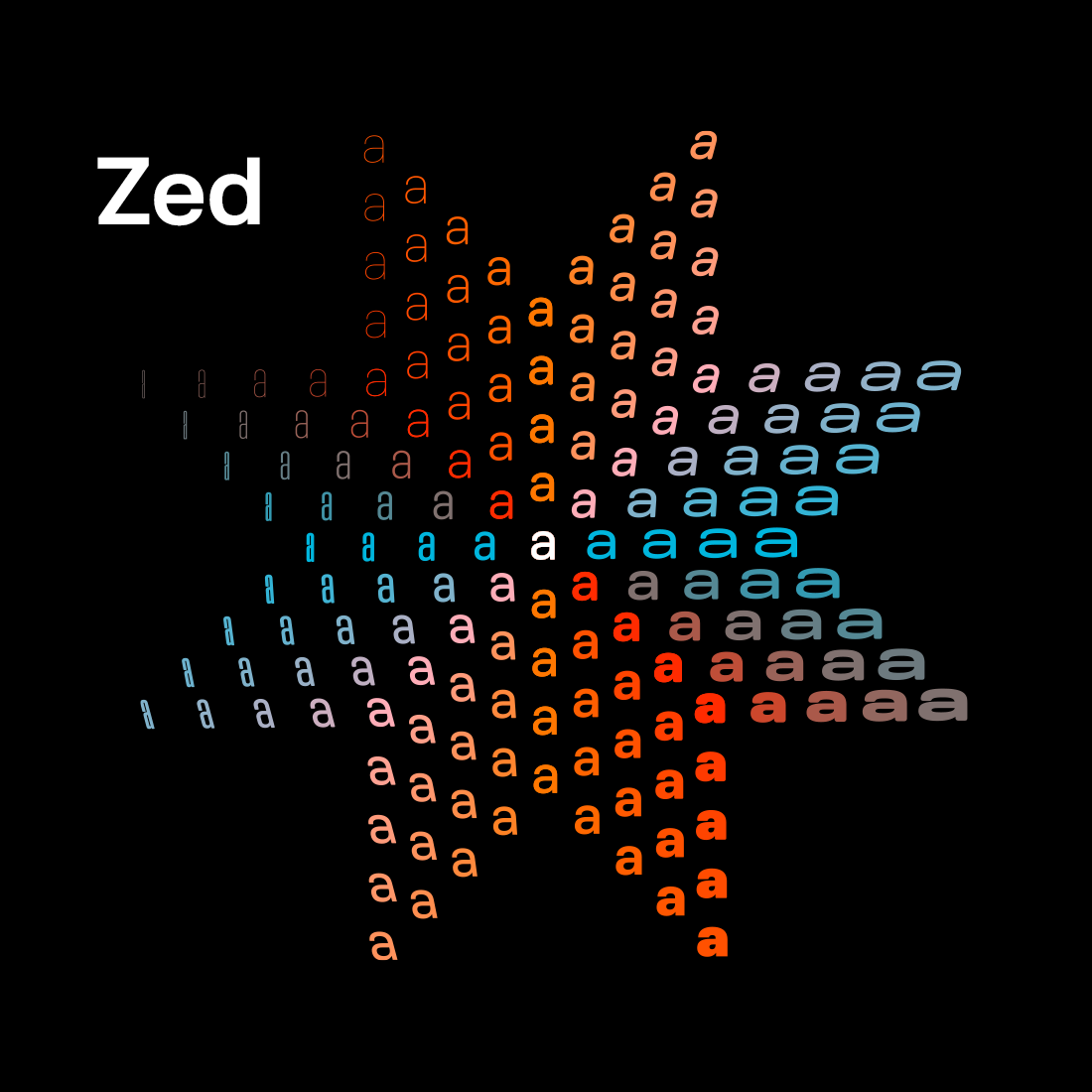
My thanks to Typotheque for sponsoring last week at DF to promote Zed, their incredible new font superfamily. Zed is a type system that was developed with one question in mind: what do readers actually need? Not what looks good in a type specimen, but what works for the widest possible range of readers. Typotheque tested Zed with visually impaired patients at a French ophthalmology hospital and found that Zed Text outperformed Helvetica in terms of reading speed across all patient groups. Designed from scratch to perform different functions, it comes in two optical versions — Text and Display — with four variable axes and support for 547 languages, including endangered ones.
Zed is extremely practical, both in terms of its extraordinarily broad language support and the stylistic variations available via its adjustable width, weight, roundness, and slant. It even offers Braille characters and an icon font. But Zed is also simply beautiful. It’s a font family and type system that exemplifies the belief that rich accessibility and pure aesthetic appeal are not at odds.
When you purchase a license for Zed, you’re buying it directly from the designers. It’s just lovely, and you should check it out. (Don’t miss the short introductory video, either.)
- Viktor Orban Loses Election in Hungary, Concedes Defeat, Congratulates Opposition Winners ★
-
The New York Times:
In a surprisingly early and gracious concession speech in Budapest, Mr. Orban congratulated the opposition saying, “The responsibility and opportunity to govern were not given to us.” But, he also made a vow: “We are not giving up. Never, never, never.”
His defeat paves the way for Peter Magyar, a former Orban loyalist and the leader of the main opposition party, to take over as Hungary’s prime minister once the newly elected Parliament meets.
Orban said the “election results, although not complete, are understandable and clear. They are painful for us but unequivocal.”
There we have it: Viktor Orban — a MAGA star and general anti-democratic corrupt dirtbag — is a better and bigger man than Donald Trump, who still refuses to concede the 2020 election that he unequivocally lost to Joe Biden.
- Golden Tickets ★
-
More vintage graphic-design weekend fun — this time, a collection of Milwaukee bus tickets from the late 1940s to early 1950s, collected on the Present & Correct blog. So much variety in the colors and typography, but yet they all feel branded together. Think about the care and thought here. Whoever was making these was designing one for each week, every week — and it’s so clear they loved making them. Even something as mundane as weekly bus passes can be exuberant expressions of fun.
(Via Ian K. Rogers, who particularly notes the tickets’ integration of hand-lettering with typefaces.)
Saturday, 11 April 2026
- Pan American Luggage Labels ★
-
Some graphic design fun for the weekend: achingly gorgeous art pieces recreating vintage Pan Am luggage tags, by Ella Freire. I love them all. The colors, the type, the shapes — sublime.
Let Us Learn to Show Our Friendship for a Man When He Is Alive and Not After He Is Dead
Friday, 10 April 2026
For The New Yorker, Ronan Farrow and Andrew Marantz go deep profiling Sam Altman under the mince-no-words headline “Sam Altman May Control Our Future — Can He Be Trusted?” 16,000+ words — roughly one-third the length of The Great Gatsby — very specifically investigating Altman’s trustworthiness, particularly the details surrounding his still-hard-to-believe ouster by the OpenAI board in late 2023, only to return within a week and purge the board. The piece is long, yes, but very much worth your attention — it is both meticulously researched and sourced, and simply enjoyable to read. Altman, to his credit, was a cooperative subject, offering Farrow and Marantz numerous interviews during an investigation that Farrow says took over a year and half.
A few excerpts and comments (not in the same order they appear in the story):
1.
Yet most of the people we spoke to shared the judgment of Sutskever and Amodei: Altman has a relentless will to power that, even among industrialists who put their names on spaceships, sets him apart. “He’s unconstrained by truth,” the board member told us. “He has two traits that are almost never seen in the same person. The first is a strong desire to please people, to be liked in any given interaction. The second is almost a sociopathic lack of concern for the consequences that may come from deceiving someone.”
The board member was not the only person who, unprompted, used the word “sociopathic.” One of Altman’s batch mates in the first Y Combinator cohort was Aaron Swartz, a brilliant but troubled coder who died by suicide in 2013 and is now remembered in many tech circles as something of a sage. Not long before his death, Swartz expressed concerns about Altman to several friends. “You need to understand that Sam can never be trusted,” he told one. “He is a sociopath. He would do anything.”
A recurring theme in the piece is that colleagues who’ve worked with Altman the closest trust him the least. This bit about Aaron Swartz warning friends that Altman is a “sociopath” who “can never be trusted” is, to my knowledge, new reporting. Swartz’s opinion carries significant weight with me.1 Swartz is lionized (rightly) for his tremendous strengths, and the profoundly tragic circumstances of his martyrdom have resulted in less focus on his weaknesses. But I knew him fairly well and he led a very public life, and I’m unaware of anyone claiming he ever lied. Exaggerated? Sure. Lied? I think never.
Another central premise of the story is that while it’s axiomatic that one should want honest, trustworthy, scrupulous people in positions of leadership at any company, the nature of frontier AI models demands that the organizations developing them be led by people of extraordinary integrity. The article, to my reading, draws no firm conclusion — produces no smoking gun, as it were — regarding whether Sam Altman is generally honest / trustworthy / scrupulous. But I think it’s unambiguous that he’s not a man of great integrity.
2.
Regarding Fidji Simo, OpenAI’s other “CEO”:
Several executives connected to OpenAI have expressed ongoing reservations about Altman’s leadership and floated Fidji Simo, who was formerly the C.E.O. of Instacart and now serves as OpenAI’s C.E.O. for AGI Deployment, as a successor. Simo herself has privately said that she believes Altman may eventually step down, a person briefed on a recent discussion told us. (Simo disputes this. Instacart recently reached a settlement with the F.T.C., in which it admitted no wrongdoing but agreed to pay a sixty-million-dollar fine for alleged deceptive practices under Simo’s leadership.)
This paragraph is juicy in and of itself, with its suggestions of palace intrigue. But it’s all the more interesting in light of the fact that, post-publication of the New Yorker piece, Fidji Simo has taken an open-ended medical leave from OpenAI. If we run with the theory that Altman is untrustworthy (the entire thesis of Farrow and Marantz’s story), and that Simo is also untrustworthy (based on the fraudulent scams she ran while CEO of Instacart, along with her running the Facebook app at Meta before that), we’d be foolish not to at least consider the possibility that her medical leave is a cover story for Altman squeezing Simo out after catching on to her angling to replace him atop OpenAI. The last thing OpenAI needs is more leadership dirty laundry aired in public, so, rather than fire her, maybe Altman let her leave gracefully under the guise of a relapse of her POTS symptoms?
Simo’s LinkedIn profile lists her in two active roles: CEO of “AGI deployment” at OpenAI, and co-founder of ChronicleBio (“building the largest biological data platform to power AI-driven therapies for complex chronic conditions”). If my spitball theory is right, she’ll announce in a few months that after recuperating from her POTS relapse, the experience has left her seeing the urgent need to direct her energy at ChronicleBio. Or perhaps my theory is all wet, and Simo and Altman have a sound partnership founded on genuine trust, and she’ll soon be back in the saddle at OpenAI overseeing the deployment of AGI (which, to be clear, doesn’t yet exist2). But regardless of whether the Altman-Simo relationship remains cemented or is in the midst of dissolving, it raises serious questions why — if Altman is a man of integrity who believes that OpenAI is a company whose nature demands leaders of especially high integrity — he would hire the Instacart CEO who spearheaded bait-and-switch consumer scams that all came right out of the playbook for unscrupulous car salesmen.
3.
Regarding Altman’s stint as CEO at Y Combinator, and his eventual, somewhat ambiguous, departure, Farrow and Marantz write:
By 2018, several Y.C. partners were so frustrated with Altman’s behavior that they approached [Y Combinator founder Paul] Graham to complain. Graham and Jessica Livingston, his wife and a Y.C. founder, apparently had a frank conversation with Altman. Afterward, Graham started telling people that although Altman had agreed to leave the company, he was resisting in practice. Altman told some Y.C. partners that he would resign as president but become chairman instead. In May, 2019, a blog post announcing that Y.C. had a new president came with an asterisk: “Sam is transitioning to Chairman of YC.” A few months later, the post was edited to read “Sam Altman stepped away from any formal position at YC”; after that, the phrase was removed entirely. Nevertheless, as recently as 2021, a Securities and Exchange Commission filing listed Altman as the chairman of Y Combinator. (Altman says that he wasn’t aware of this until much later.)
Altman has maintained over the years, both in public and in recent depositions, that he was never fired from Y.C., and he told us that he did not resist leaving. Graham has tweeted that “we didn’t want him to leave, just to choose” between Y.C. and OpenAI. In a statement, Graham told us, “We didn’t have the legal power to fire anyone. All we could do was apply moral pressure.” In private, though, he has been unambiguous that Altman was removed because of Y.C. partners’ mistrust. This account of Altman’s time at Y Combinator is based on discussions with several Y.C. founders and partners, in addition to contemporaneous materials, all of which indicate that the parting was not entirely mutual. On one occasion, Graham told Y.C. colleagues that, prior to his removal, “Sam had been lying to us all the time.”
Graham responded to this on Twitter/X thus:
Since there’s yet another article claiming that we “removed” Sam because partners distrusted him, no, we didn’t. It’s not because I want to defend Sam that I keep insisting on this. It’s because it’s so annoying to read false accounts of my own actions.
Which tweet includes a link to a 2024 tweet containing the full statement Farrow and Marantz reference, which reads:
People have been claiming YC fired Sam Altman. That’s not true. Here’s what actually happened. For several years he was running both YC and OpenAI, but when OpenAI announced that it was going to have a for-profit subsidiary and that Sam was going to be the CEO, we (specifically Jessica) told him that if he was going to work full-time on OpenAI, we should find someone else to run YC, and he agreed. If he’d said that he was going to find someone else to be CEO of OpenAI so that he could focus 100% on YC, we’d have been fine with that too. We didn’t want him to leave, just to choose one or the other.
Graham is standing behind Altman publicly, but I don’t think The New Yorker piece mischaracterized his 2024 statement about Altman’s departure from Y Combinator. Regarding the quote sourced to anonymous “Y.C. colleagues” that he told them “Sam had been lying to us all the time”, Graham tweeted:
I remember having a conversation after Sam resigned with a YC partner who said he and some other partners had been unhappy with how Sam had been running YC. I told him Sam had told us that all the partners were happy, so he was either out of touch or lying to us.
And, emphasizing that this remark was specifically in the context of how happy Y Combinator’s partners were under Altman’s leadership of YC, Graham tweets:
Every YC president tends to tell us the partners are happy. Sam’s successor did too, and he was mistaken too. Saying the partners are unhappy amounts to saying you’re doing a bad job, and no one wants to admit or even see that.
Seems obvious in retrospect, but we’ve now learned we should ask the partners themselves. (And they are indeed now happy.)
I would characterize Graham’s tweets re: Altman this week as emphasizing only that Altman was not fired or otherwise forced from YC, and could have stayed as CEO at YC if he’d found another CEO for OpenAI. But for all of Graham’s elucidating engagement on Twitter/X this week regarding this story, he’s dancing around the core question of the Farrow/Marantz investigation, the one right there in The New Yorker’s headline: Can Sam Altman be trusted? “We didn’t ‘remove’ Sam Altman” and “We didn’t want him to leave” are not the same things as saying, say, “I think Sam Altman is honest and trustworthy” or “Sam Altman is a man of integrity”. If Paul Graham were to say such things, clearly and unambiguously, those remarks would carry tremendous weight. But — rather conspicuously to my eyes — he’s not saying such things.
4.
From the second half of the same paragraph quoted above, that started with Aaron Swartz’s warnings about Altman:
Multiple senior executives at Microsoft said that, despite Nadella’s long-standing loyalty, the company’s relationship with Altman has become fraught. “He has misrepresented, distorted, renegotiated, reneged on agreements,” one said. Earlier this year, OpenAI reaffirmed Microsoft as the exclusive cloud provider for its “stateless” — or memoryless — models. That day, it announced a fifty-billion-dollar deal making Amazon the exclusive reseller of its enterprise platform for A.I. agents. While reselling is permitted, Microsoft executives argue OpenAI’s plan could collide with Microsoft’s exclusivity. (OpenAI maintains that the Amazon deal will not violate the earlier contract; a Microsoft representative said the company is “confident that OpenAI understands and respects” its legal obligations.) The senior executive at Microsoft said, of Altman, “I think there’s a small but real chance he’s eventually remembered as a Bernie Madoff- or Sam Bankman-Fried-level scammer.”
The most successful scams — the ones that last longest and grow largest — are ones with an actual product at the heart. Scams with no actual there there go bust quickly. The Bankman-Fried FTX scandal blew up quickly because FTX never offered anything of actual value. Bernie Madoff, though, had a long career, because much of his firm’s business was legitimate. It wasn’t only the Ponzi scheme, which is what enabled Madoff to keep the Ponzi scheme going for two decades.
But the better comparison to OpenAI — if that “small but real chance” comes true — might be Enron. Enron was a real company that built and owned a very real pipeline and energy infrastructure business. ChatGPT and Codex are very real, very impressive technologies. Enron’s operations were real, but the story they told to investors was a sham. OpenAI’s technology is undeniably real and blazing the frontier of AI. It’s the financial story Altman has structured that seems alarmingly circular. ★
-
In a 2005 Y Combinator “class photo”, Altman and Swartz are standing next to each other. Despite the fact that Altman was sporting a reasonable number of popped polo collars (zero), Swartz was clearly the better-dressed of the two.* ↩︎
* Aaron would’ve loved this footnote. Christ, I miss him. -
With rare exceptions, I continue to think it’s a sign of deep C-suite dysfunction when a company has multiple “CEOs”. When it actually works — like at Netflix, with co-CEOs Ted Sarandos and Greg Peters (and previously, Sarandos and Reed Hastings before Hastings’s retirement in 2023) — the co-CEOs are genuine partners, and neither reports to the other. There is generally only one director of a movie, but there are exceptions, who are frequently siblings (e.g. the Coens, the Wachowskis, the Russos). A football team only has one head coach. The defensive coordinator is the “defensive coordinator”, not the “head coach of defense”. It’s obvious that Fidji Simo reports to Sam Altman, and thus isn’t the “CEO” of anything at OpenAI. But OpenAI does have applications, and surely is creating more of them, so being in charge of applications is being in charge of something real. By any reasonable definition, AGI has not yet been achieved, and many top AI experts continue to question whether LLM technology will ever result in AGI. So Simo changing her title to (or Altman changing her title to) “CEO of AGI deployment” is akin to changing her title to “CEO of ghost busting” in terms of its literal practical responsibility. ↩︎︎
Friday, 10 April 2026
- Ed Bindels’s Apple Museum in Utrecht, Netherlands ★
-
This new museum in Utrecht (about 30–40 minutes south of Amsterdam) seems just astonishing. The rainbow wall of iMacs alone is incredible.
Thursday, 9 April 2026
- MacOS Seemingly Crashes After 49 Days of Uptime — a ‘Feature’ Perhaps Exclusive to Tahoe ★
-
Jason Snell, writing at Six Colors:
Software developer Photon, whose product requires running a bunch of Macs to connect to iMessage, discovered a pretty major bug:
Every Mac has a hidden expiration date. After exactly 49 days, 17 hours, 2 minutes, and 47 seconds of continuous uptime, a 32-bit unsigned integer overflow in Apple’s XNU kernel freezes the internal TCP timestamp clock… ICMP (ping) keeps working. Everything else dies. The only fix most people know is a reboot.
The whole story is wild (albeit technical). Photon says they’re working on a fix, but really, this is something Apple should be working on.
If you keep track of time using milliseconds, and store that in an unsigned 32-bit integer, it overflows after 49 days, 17 hours, 2 minutes, and 47 seconds. That’s the bug.
I think this bug is new to Tahoe. If you look at Apple’s open-source XNU kernel code — e.g. lines 3,732 to 3,745 in tcp_subr.c — you can see that the lines assigning the time in milliseconds to a
uint32_tvariable were checked in just six months ago, whereas most of the file is five years old. Also, I personally ran my MacBook Pro — at the time, running MacOS 15.7.2 Sequoia — up to 91 days of uptime in January. I even mentioned that remarkable uptime in my annual report card, in praise of Apple’s software reliability. Apple’s pre-Tahoe reliability, that is.I was hesitant to link to this at all because the original (unbylined) report from Photon is so hard to follow. It’s downright manic — over 3,500 words with 33 section headings (
<h2>and<h3>tags), with no cohesive narrative. The bug, seemingly, is not that complicated. The whole write-up from Photon just screams “AI-generated slop” to me, and I thus hesitate even to link to Snell’s piece linking to it. But I think the bug is real, and my sympathy for everyone afflicted with MacOS 26 Tahoe is sincere. (And if I’m wrong about the post being AI slop and a human at Photon actually wrote this, I would suggest taking it easy with the cocaine.) - Adobe Diddles With Your /etc/hosts File ★
-
“thenickdude”, on Reddit:
They’re using this to detect if you have Creative Cloud already installed when you visit on their website.
When you visit https://www.adobe.com/home, they load this image using JavaScript:
https://detect-ccd.creativecloud.adobe.com/cc.png
If the DNS entry in your hosts file is present, your browser will therefore connect to their server, so they know you have Creative Cloud installed, otherwise the load fails, which they detect.
They used to just hit http://localhost:<various ports>/cc.png which connected to your Creative Cloud app directly, but then Chrome started blocking Local Network Access, so they had to do this hosts file hack instead.
(Via Thom Holwerda at OSNews.)
They didn’t have to do this, of course. In fact, quite obviously, they definitely should not be doing this. Adobe is just a third-party developer, no better, no more trusted, no more important than any other. Imagine if every piece of software on your computer added entries to your
/etc/hostsfile. Madness. Adobe should be ashamed of themselves. Adobe used to be a bastion of best practices for developers to follow. Now their installer/updater is indistinguishable from malware.See also: Marc Edwards on Mastodon, and Michael Tsai.
- Lickspittle of the Week: Todd Blanche ★
-
Acting Attorney General Todd Blanche, speaking of the president of the United States in a totally normal way:
I love working for President Trump. It’s the greatest honor of a lifetime. And if President Trump chooses to nominate somebody else and asks me to go do something else, I’ll say, “Thank you very much, I love you, sir.”
The phrase Blanche was looking for is “Thank you sir, may I have another.”

Wednesday, 8 April 2026
- Anthropic’s New Claude Mythos Is So Good at Finding and Exploiting Vulnerabilities That They’re Not Releasing It to the Public ★
-
Anthropic’s Frontier Red Team:
Earlier today we announced Claude Mythos Preview, a new general-purpose language model. This model performs strongly across the board, but it is strikingly capable at computer security tasks. In response, we have launched Project Glasswing, an effort to use Mythos Preview to help secure the world’s most critical software, and to prepare the industry for the practices we all will need to adopt to keep ahead of cyberattackers.
This blog post provides technical details for researchers and practitioners who want to understand exactly how we have been testing this model, and what we have found over the past month. We hope this will show why we view this as a watershed moment for security, and why we have chosen to begin a coordinated effort to reinforce the world’s cyber defenses.
“Our new model is so good, it’s too dangerous to release to the public” is a message that sounds like it could be marketing hype. But it seems like it’s probably true. Examples cited by Anthropic include finding and exploiting a 27-year-old OpenBSD bug (that can crash any device running OpenBSD) and a 16-year-old bug in the widely used FFmpeg media processing library.
See also: Techmeme’s extensive roundup.
Tuesday, 7 April 2026
- Solar Eclipse From the Far Side of the Moon ★
-
Kottke:
This shot from Artemis II of the Moon eclipsing the Sun is one of the most breathtaking astronomical photos I’ve ever seen. Holy shit.
Follow NASA on Flickr for more.
Update: In a follow-up post, Kottke has assembled a slew of great iPhone wallpapers from Artemis II photos, along with links to other collections, like Basic Apple Guy’s. Also, The Iconfactory has added a bunch of these images to their wonderful Wallaroo app (which is how I’ve switched to one on my own iPhone).
Update 2: Nils Streedain has made wallpapers for the Mac optimized for OLED displays (HEIC native format, pure
#000black background, etc.). Gorgeous. - Sam Altman, in a Video Released by OpenAI, Apparently Thinks AGI Is Going to Hit Society Like a Once-a-Century Pandemic ★
-
Not sure why they think this comparison is reassuring rather than terrifying.
I also have to say that Altman’s claims, today, that OpenAI employees were obsessed with COVID weeks ahead of the rest of the world feels more than a little like Donald Trump’s repeated false claim that he predicted, pre-9/11, that Osama bin Laden would attack the U.S.
OpenAI Announces $122 Billion Additional ‘Committed Capital’, and Announces Their ‘Superapp’ Plan for the Future
Tuesday, 7 April 2026
OpenAI, one week ago, in an unbylined post on the company blog:
Today, we closed our latest funding round with $122 billion in committed capital at a post money valuation of $852 billion.
For comparison, here are the current market caps and 2025 annual profits for public companies in that valuation range:
| Market Cap | 2025 Net Income | |
|---|---|---|
| Berkshire Hathaway | $1,028 B | $67 B |
| Walmart | $980 B | $22 B |
| Samsung | $855 B | $29 B |
| Eli Lilly | $832 B | $21 B |
These four companies, as of today, rank 11–14th on the list of largest companies by market cap.
In a post last week, I quoted a Deutsche Bank projection estimating that OpenAI is going to lose $143 billion between 2024 and 2029. OpenAI’s refutation of this estimate is that no, they’re merely going to lose $111 billion in that timeframe. Even in the company’s own optimistic scenario, they’re going to lose, on average, as much money per year as any of these companies earn. (Well, except for Berkshire, which earned significantly more than the others last year.)
I’m not trying to be thick here. Obviously the idea behind OpenAI’s astronomical valuation is that at some point they’ll stop losing money, and then, presumably starting at some point in the 2030s, they’re going to start generating mountains of profit. P/E ratios are not effective for evaluating a startup in hyper-growth phase, but the idea is that eventually a successful startup will achieve a balanced P/E ratio. That seems possible for OpenAI. It also seems far, if not very far, from certain. My gut feeling, now more than ever, is that it is unlikely to happen, and that the most likely scenario is that the entire company goes into history alongside companies like Enron. They’re generating steadily increasing revenue now, yes, but by selling dollars of compute for pennies. First CityWide Change Bank had a better business strategy than that — they gave you the correct change.1
I purposely stretched the valuation range in my table above into the $1T market cap range so I could include Berkshire Hathaway, a company I’ve always greatly admired. Warren Buffett has long promoted the idea of seeking to invest in companies not just with moats, but with defensible moats. I still haven’t seen a good refutation of the leaked internal Google white paper whose actual title was “We Have No Moat, and Neither Does OpenAI”. What Google does have are highly profitable existing products and services.
Back to OpenAI’s funding announcement, skipping over the next 1,111 words, all of which struck me as meaningless blather (and, if I had to bet, largely written by ChatGPT):
That is why we are building a unified AI superapp. As models become more capable, the limiting factor shifts from intelligence to usability. Users do not want disconnected tools. They want a single system that can understand intent, take action, and operate across applications, data, and workflows. Our superapp will bring together ChatGPT, Codex, browsing, and our broader agentic capabilities into one agent-first experience.
This is not just product simplification. It is a distribution and deployment strategy.
This is not “product simplification” at all. This is product complication. Web browsers are incredibly complex apps. OpenAI’s web browser — Atlas — is a failure. No one uses it. And they think they’re going to simplify things by cramming Atlas — an unpopular web browser almost no one has heard of — together with their chatbot and developer tool? Would it strike you as a simplification, or a sign of product design depravity, if Apple announced that it was merging Safari and Messages into one “superapp”? Focused, discrete apps are the best proven way to manage complexity.
Maybe merging all their apps into one will work out for OpenAI. But even if it does, it won’t be simpler. Microsoft Outlook is an email client and calendar app crammed together, and it has tens, maybe hundreds, of millions of users. But no one calls it “product simplification”. OpenAI’s “superapp” strategy reads to me like a company that is in a panic. And in that panic, they might be poised to eradicate the product focus that their current users like about ChatGPT in the first place.
Shuffling
And that’s just my read from before their late-Friday news dump of executive leadership shuffling. Hayden Field at The Verge reports (gift link):
OpenAI is undergoing another round of C-suite changes, according to an internal memo viewed by The Verge.
Fidji Simo, OpenAI’s CEO of AGI deployment — who was until recently the company’s CEO of applications — says in the memo that she will be stepping away on medical leave “for the next several weeks” due to a neuroimmune condition. While she’s out, OpenAI president Greg Brockman will be in charge of product, including leading OpenAI’s “superapp” efforts. On the business side, CSO Jason Kwon, CFO Sarah Friar, and CRO Denise Dresser will take charge.
The Verge runs Simo’s full memo at the bottom of their story, if you want to read it yourself. Simo’s title used to be CEO of applications, now it’s CEO of AGI deployment, but the last thing she oversaw before departing on an open-ended medical leave was ... checks notes ... negotiating the acquisition of a YouTube tech news show for “low hundreds of millions of dollars” (per the Financial Times). That’s the deployment of something, but not artificial general intelligence.
Simo, too, is credited with the “superapp” strategy (which I will not stop putting in dick quotes). It certainly sounds like something someone from Facebook would think up. But now she’s not going to be there to oversee it. I wish Simo well with her health issues, which seem significant, but none of this paints a picture of a well-run company with any sort of cohesive strategic vision.
Until last week, I hadn’t seen Zoë Schiffer’s profile of Simo for Wired from November, soon after she joined OpenAI as a CEO, but not the CEO:
Simo hasn’t been seen much at OpenAI’s San Francisco office since she began as CEO of Applications in August. But her presence is felt at every level of the company — not least because she’s heading up ChatGPT and basically every function that might make OpenAI money. Simo is dealing with a relapse of postural orthostatic tachycardia syndrome (POTS) that makes her prone to fainting if she stands for long periods of time. So for now, she’s working from home in Los Angeles, and she’s on Slack. A lot.
“Being present from 8 am to midnight every day, responding within five minutes, people feel like I’m there and that they can reach me immediately, that I jump on the phone within five minutes,” she tells me. Employees confirm that this is true. OpenAI’s famously Slack-driven culture can be overwhelming for new hires. But not, apparently, for Simo. Employees say she is often seen popping into channels and threads, sharing thoughts and asking questions.
OpenAI’s work environment seems not merely overwhelming, but torturous. I have no reason to believe Simo’s medical leave is anything but a legitimate medical leave, but I wouldn’t be surprised if she never comes back. (What’s the point of being CEO of AGI deployment when there is no AGI to deploy?)
I don’t see the path from here to there, where there is a justification for a trillion-dollar-ish valuation for this company. ★
-
There’s a joke to be made here about this “$122 billion in committed capital” being called such because the investors throwing good money after bad into OpenAI ought to be committed. ↩︎